Tally · a calorie tracker for iPhone

As easy as the AI apps. As accurate as the search ones.

Write a meal the way you would say it, like “half a turkey sandwich and a cup of tomato soup”. Tally looks up every food in real nutrition databases and logs the calories. There is no food list to scroll and nothing to weigh.

The Tally app icon, the abacus smiling

iPhone · iOS 17+ · TestFlight beta

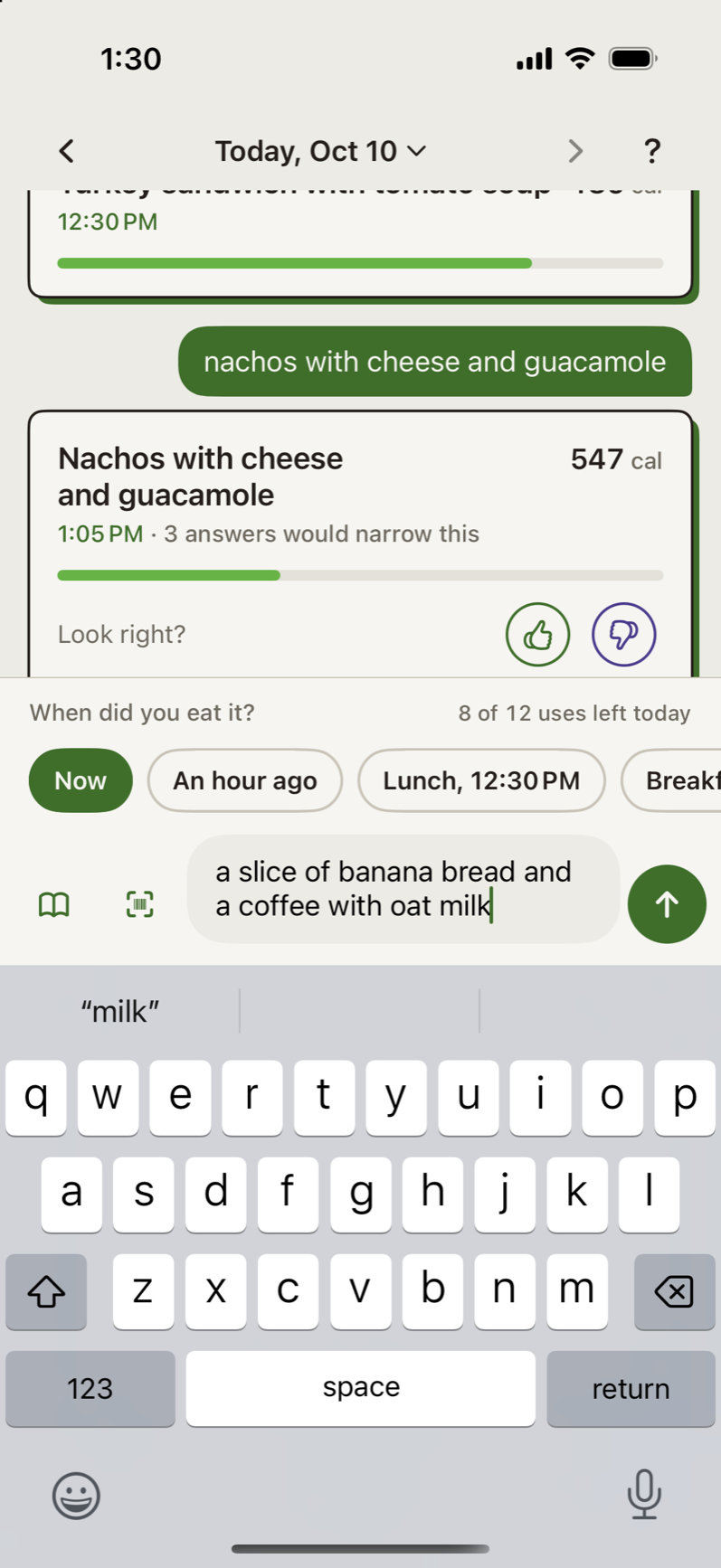
Typing a slice of banana bread and a coffee with oat milk, with When did you eat it? chips above the box.
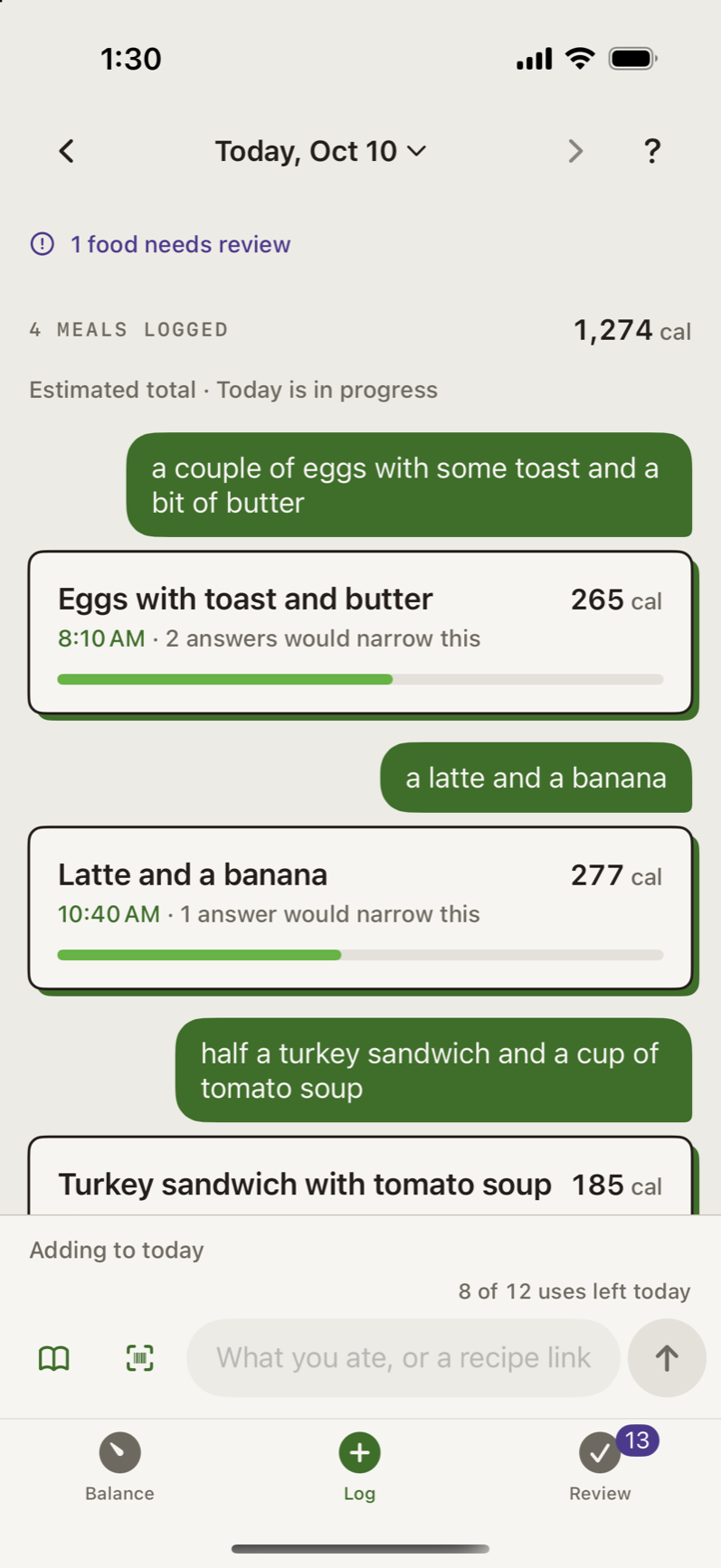
The Log for today: each sentence as typed, then its meal with a title, the time eaten and calories.

Why Tally

Other calorie apps make you pick one.

Search-and-pick trackers

Accurate, and a chore

Every food on the plate is its own search, a pick from a long list, and a portion to enter. It works if you keep up with it.

Snap-a-photo apps

Quick, and a guess

An AI looks at the meal and estimates everything, calories included. You can’t tell where a number came from.

Tally

Quick, and from real data

You type the meal in a sentence and Tally does the looking up. Calories come from real nutrition databases. When Tally has to guess or estimate, it tells you, and asks if the guess matters.

Easy to log. Accurate where it counts.

3 shots, swipe

  1. Typing a slice of banana bread and a coffee with oat milk, with When did you eat it? chips above the box.

    Easy

    One sentence per meal

    Type it the way you would say it, or paste a recipe link. No searching, no scrolling, no scale.

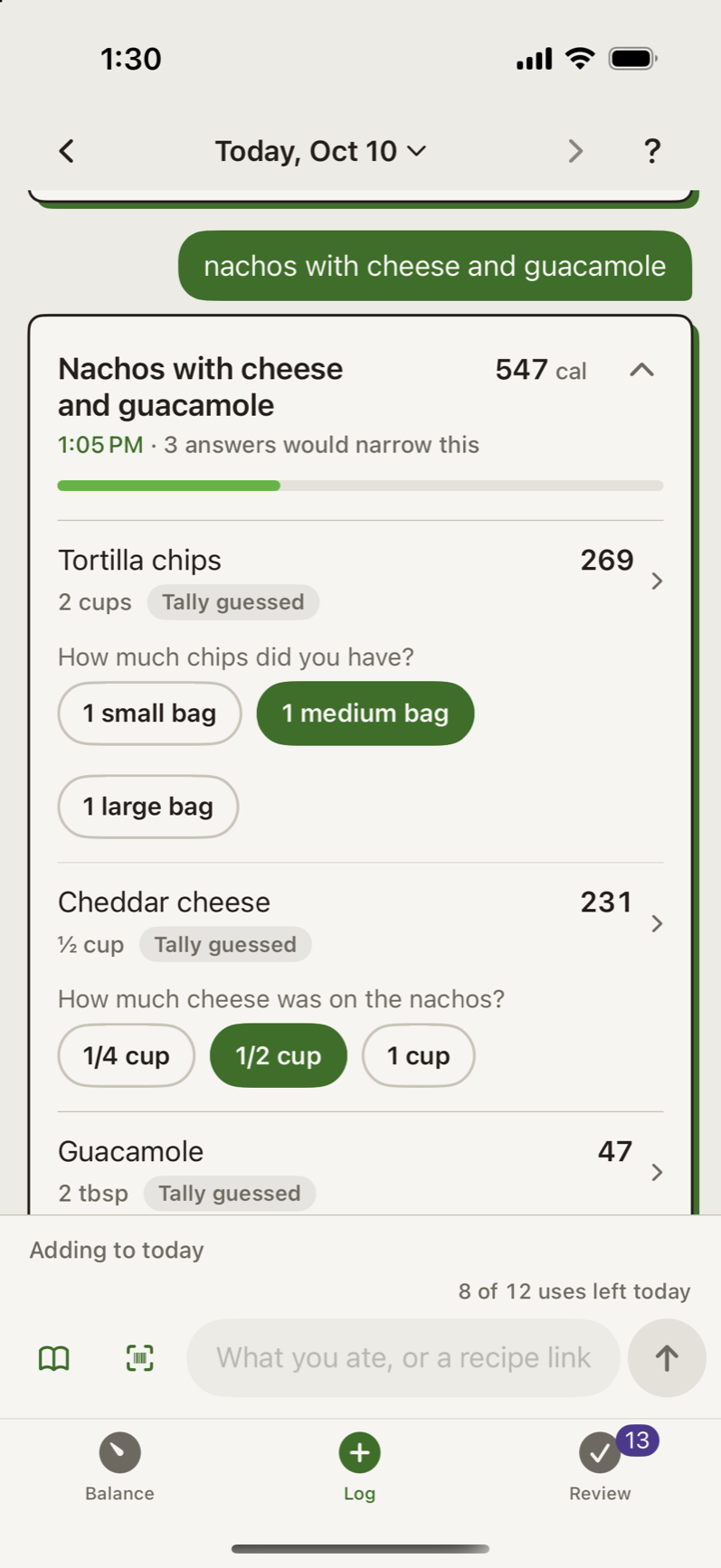
  2. Nachos with cheese and guacamole opened: tortilla chips, cheddar and guacamole, each marked Tally guessed with a question and size chips.

    Accurate

    Every food matched to real nutrition data

    Each food on the plate gets its own calories from a nutrition database. When Tally has to estimate, it tells you.

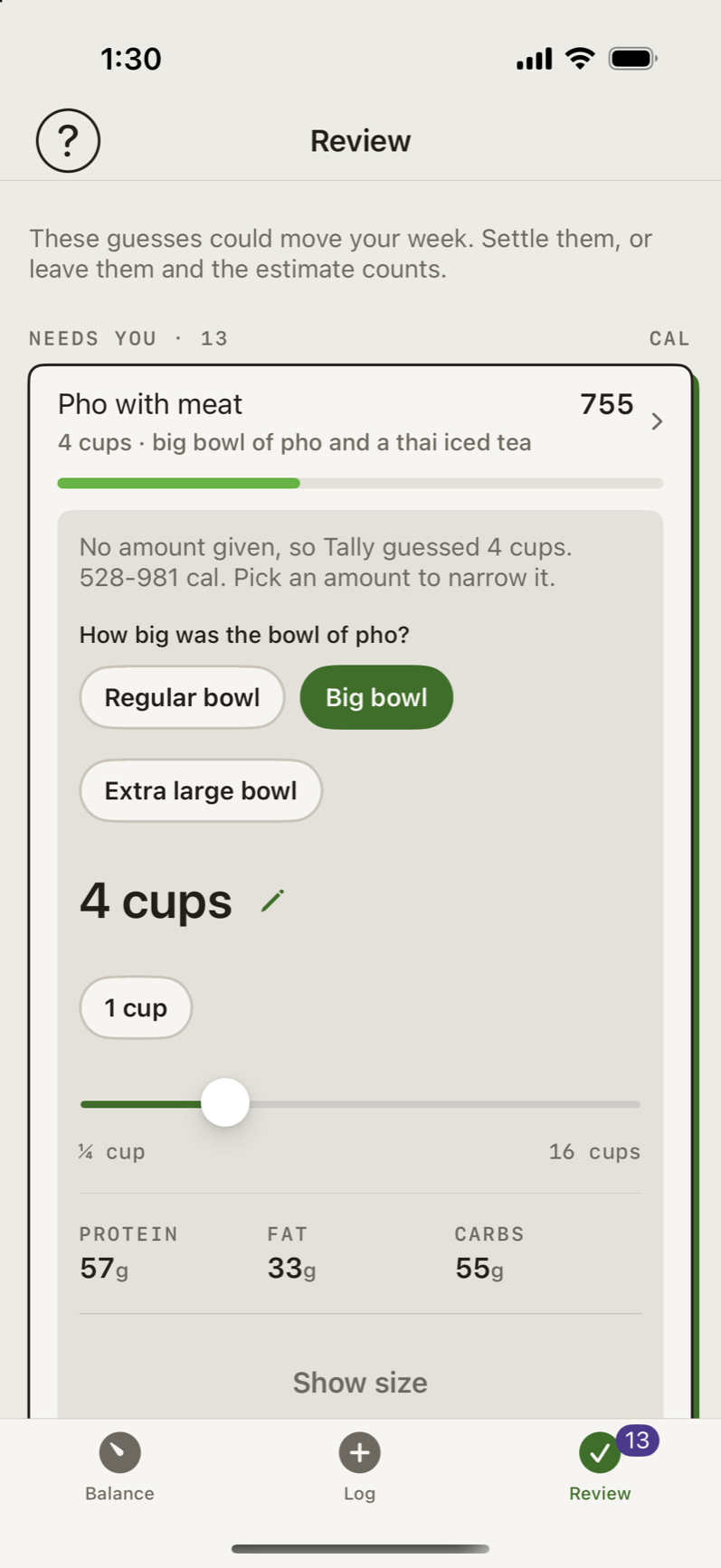
  3. Review: pho opened. No amount given, so Tally guessed 4 cups, 528 to 981 cal, and asks how big the bowl was.

    Easy and accurate

    Only check what could matter

    When a portion is a guess big enough to move your day, Tally asks. Everything else is done.

Packaged food

Scan it instead.

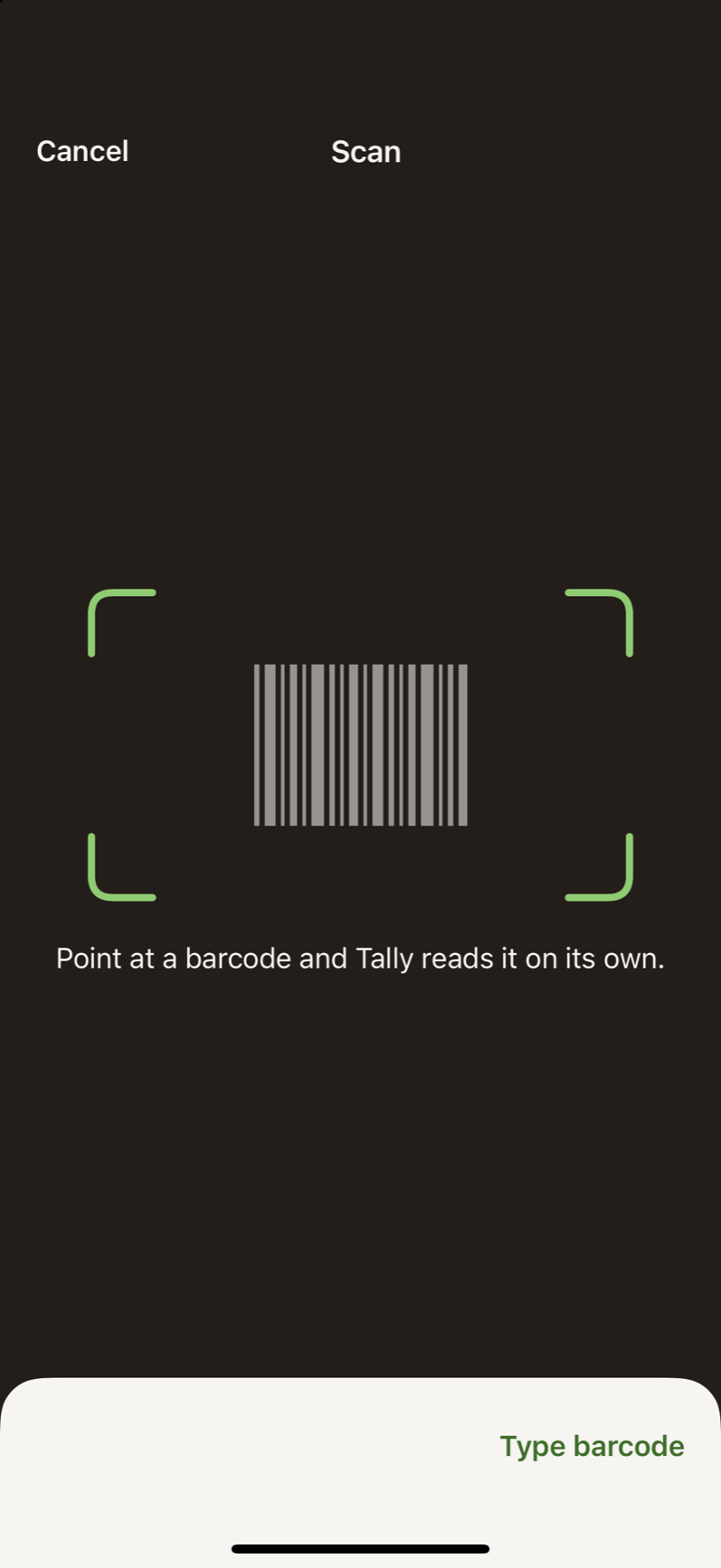
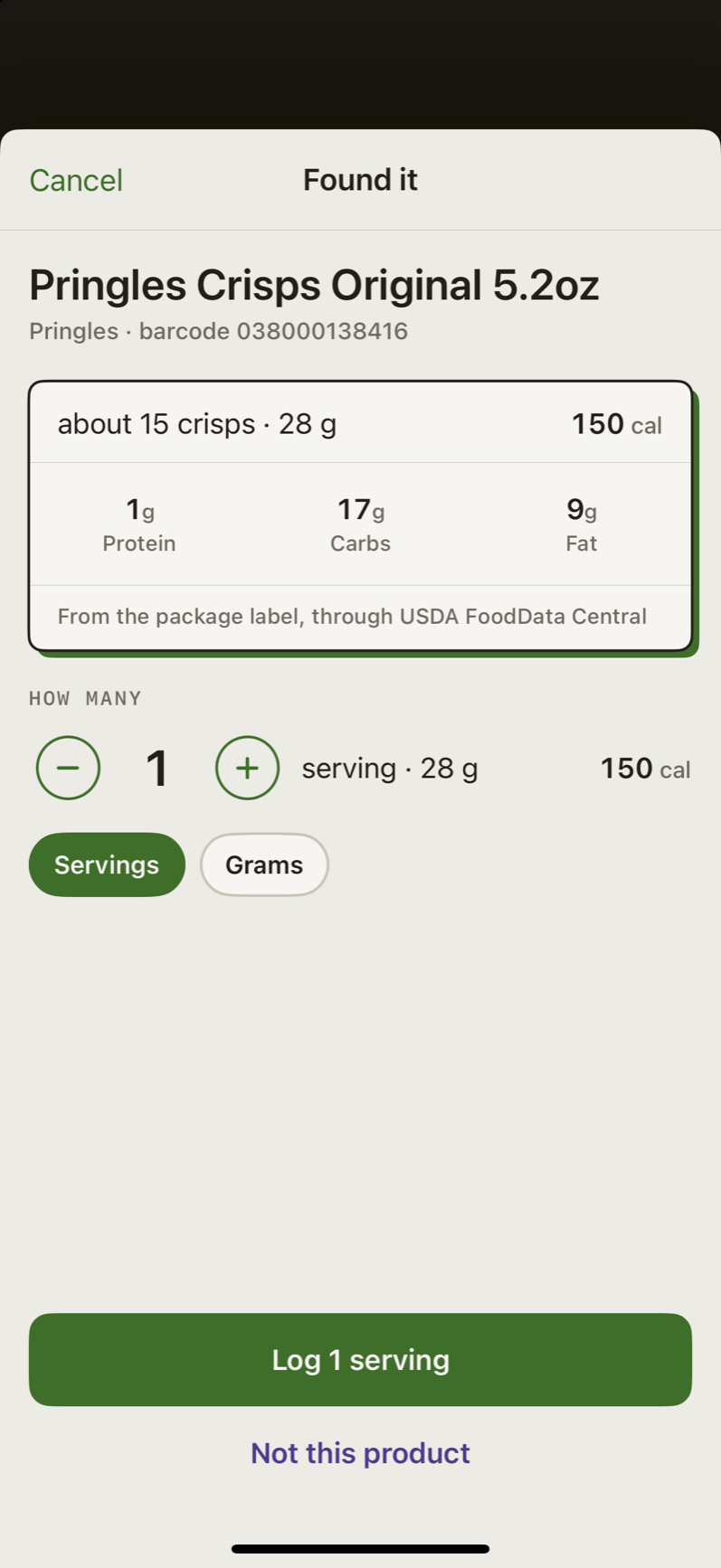
Point the camera at the barcode. Tally finds the product and shows the serving and calories from its package label. One tap logs it.

No barcode handy? Type the numbers under the bars. Not in any database? Describe it in words like any other meal.

The scanner: green corners framing where the barcode goes, Point at a barcode and Tally reads it on its own, and Type barcode.
Found it: Pringles Crisps Original, about 15 crisps, 28 g, 150 cal, from the package label, with Log 1 serving.

Your day and your week

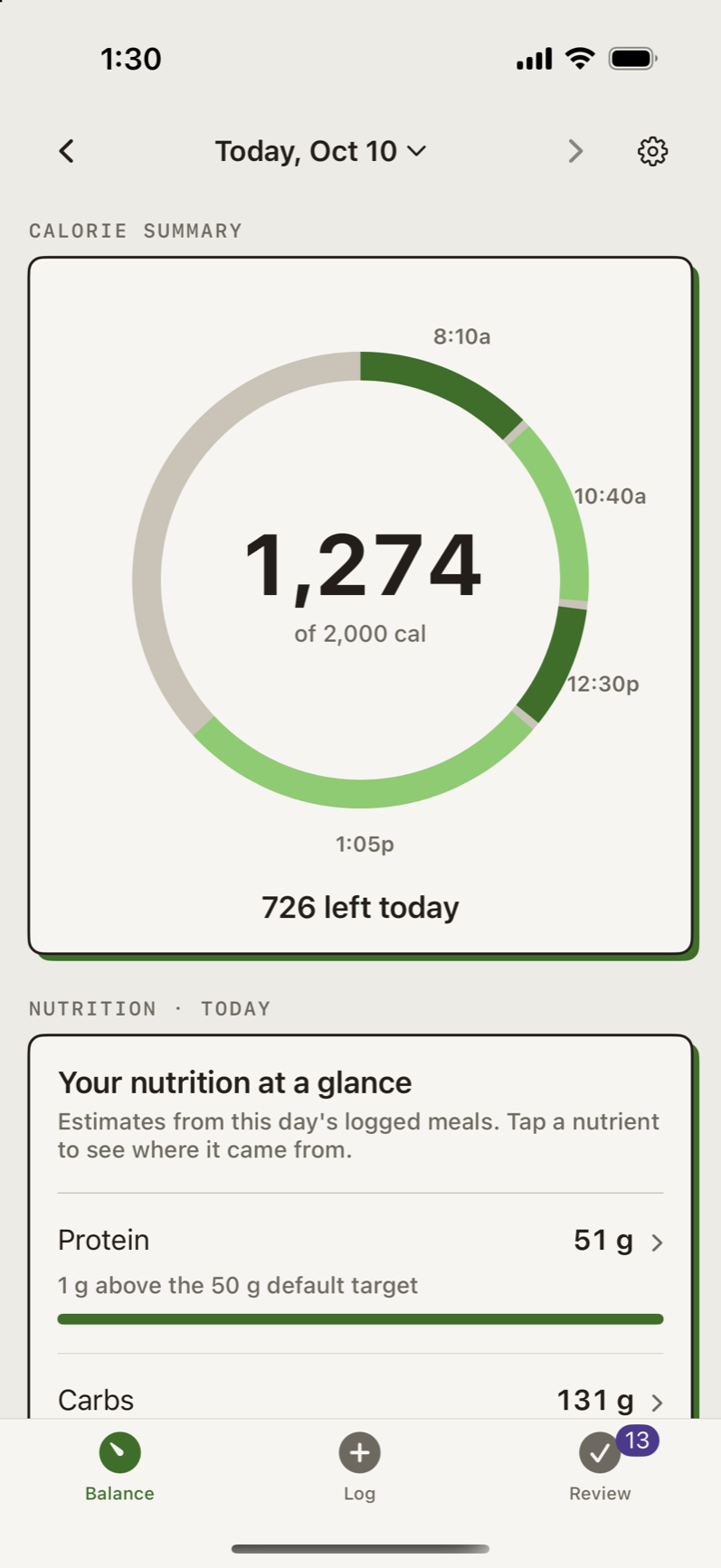
Today shows the day’s calories as a ring, one slice per meal, and what is left.

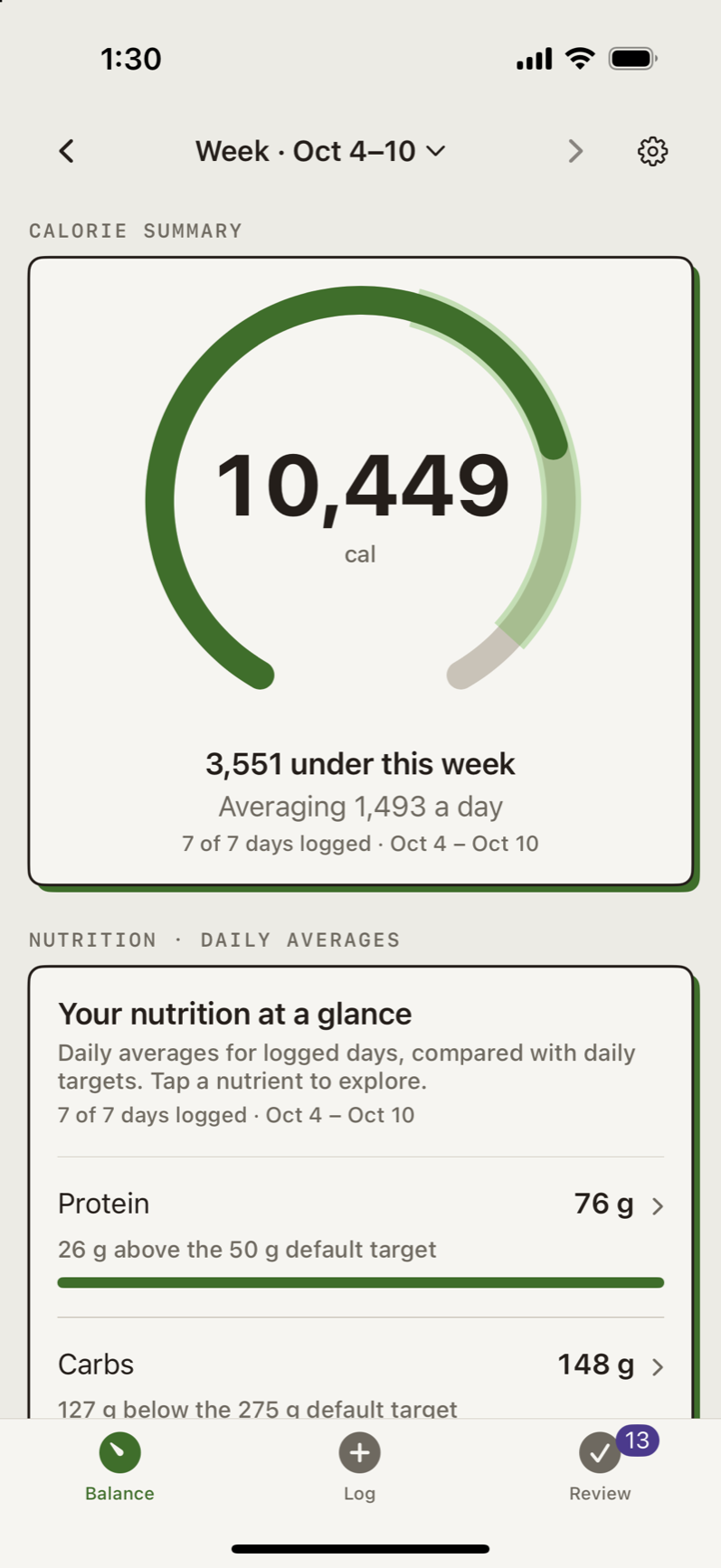
Week adds up the last seven days, so a big dinner and a light lunch the next day even out. Protein, fat, carbs and sodium sit under both.

Today: a ring of four meals at the times eaten, 1,274 of 2,000 cal, 726 left today.
Week, Oct 4 to 10: 10,449 cal, 3,551 under this week, averaging 1,493 a day, 7 of 7 days logged.

Companion

Tally the abacus, if you want it

Tally the abacus is an optional companion. The app offers it once, and Show Tally in Settings turns it off.

On the Week tab it notes how many days you logged.

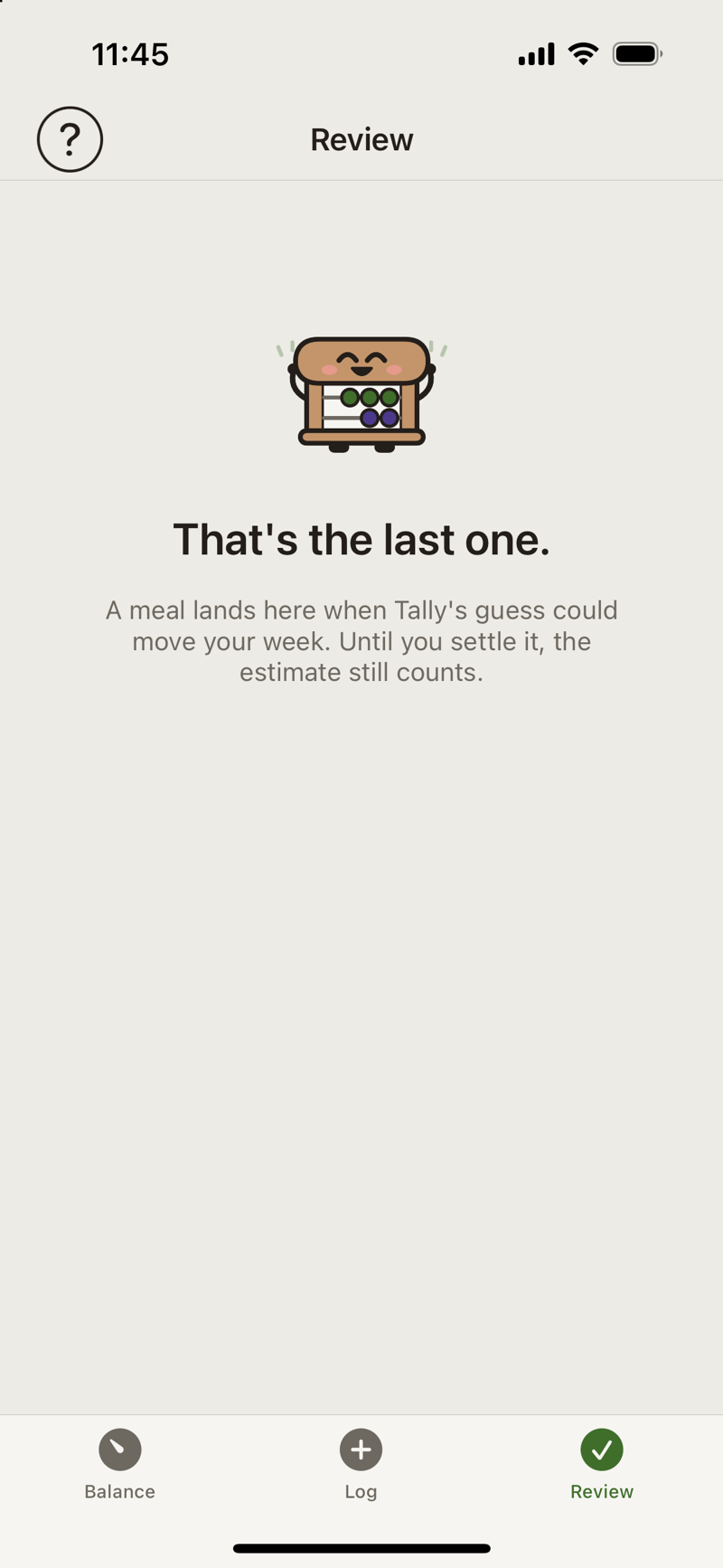
Review with nothing left to check: the abacus cheering above That's the last one.

Where it shows up

App icon

The icon is the abacus smiling. Settings has three alternates: Waving, Cheering and Halloween.

  • Smiling, the standard icon

    Smiling

  • Waving icon

    Waving

  • Cheering icon

    Cheering

  • Halloween icon

    Halloween

Also in Tally